
Other Configuration Settings
Key Note: The configuration program cannot be run when the Rose Engine Butler program is running. It is designed so that you configure the way Rose Engine Butler works, then run the system.
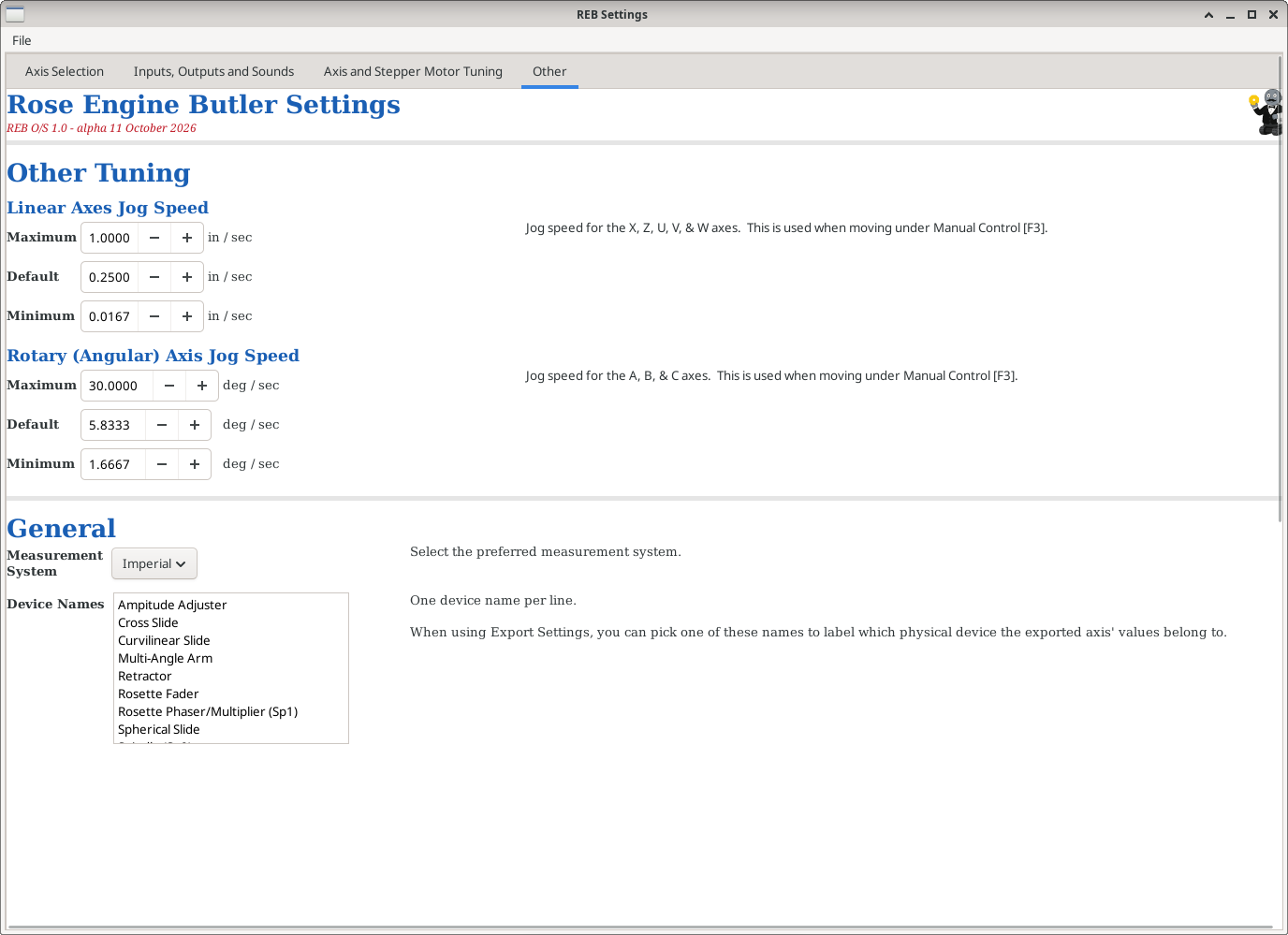
|
Other Tuning
Use this to set the maximum, default, and minimum jogging speeds for
- Linear axes: Jog speed for the X, Z, U, V, & W axes.
- Rotary (Angular) axis: Jog speed for the A, B, & C axes.
These are used when moving under Manual Control [F3].
Linear jog speeds are in inches (or mm) per second, and rotary jog speeds are in degrees per second. The jog speed slider in Rose Engine Butler shows the same speeds per minute - for example, a Default of 5.8333 deg/sec shows there as 350 deg/min.
For each, the values must be in order: Minimum ≤ Default ≤ Maximum. A change that would break that order is not accepted - the field goes back to its saved value and a message explains why. To move a value further, change the others first (for example, raise the Maximum before raising the Default above it).
These changes are saved as soon as you make them, and take effect the next time Rose Engine Butler starts.
General
There are some general values which get set here:
- Measurement System to be used (Imperial or Metric)
- Device Names to be used for the selection fields. You enter them as one device name per line.
|
|
Running the Rose Engine Butler Settings Program
To access the Rose Engine Butler Settings program, there are 3 options:
|
|
Option 1: Use the icon on the desktop

Double-click on the Rose Engine Butler Settings icon on the desktop (the big gear)
|
|
Option 2: Use the Applications menu
- Click on Applications at the top left corner of the screen
- Click on the arrow to the right of Rose Engine Butler
- Click on Rose Engine Butler Settings (the one with a gear)
| Applications | |
 Rose Engine Butler > Rose Engine Butler >
| Rose Engine Butler
|
| Rose Engine Butler Settings
| |
 Backup Rose Engine Butler Backup Rose Engine Butler
| |
 Update Rose Engine Butler Update Rose Engine Butler
| |
|
|
Option 3: Run the command directly
Run this command from a terminal window:
|
bash /home/reuben/linuxcnc/configs/RoseEngineButler/REB_Settings.sh |
| spacer line |
|
eMail comments to |